Flows
Shipper API supports various flows based on the interaction between carriers and shippers. In some cases, carriers aren't able to update the order status, which requires the shipper to manually update it.
This document also explains when webhook events are sent to API clients.
There are three basic flows for sending loads to carriers:
- Direct flow: sending a load offer directly
- Manual flow: updates are done on Shipper TMS without any involvement from carriers
- Load board flow: finding a carrier via a load board.
Direct flow
When the order is ready to ship, it's time to find a carrier who can move this order. We support the flows below that help shippers and brokers to move loads:
- API client does know what carrier can move a given order and has either a carrier's
guidorusdot. In this case, the order can be sent to the carrier directly as a load offer. - Search a carrier by
email,name, orusdot. Carriers that use Carrier TMS are marked by"carrier_type": "CTMS". A carrier'sguidcan be used to send a load offer. This endpoint makes a broader search: it also searches carriers in the FMCSA database. These carriers can be invited to Super Dispatch via sending a load offer by using theiremail,usdot, andphone.
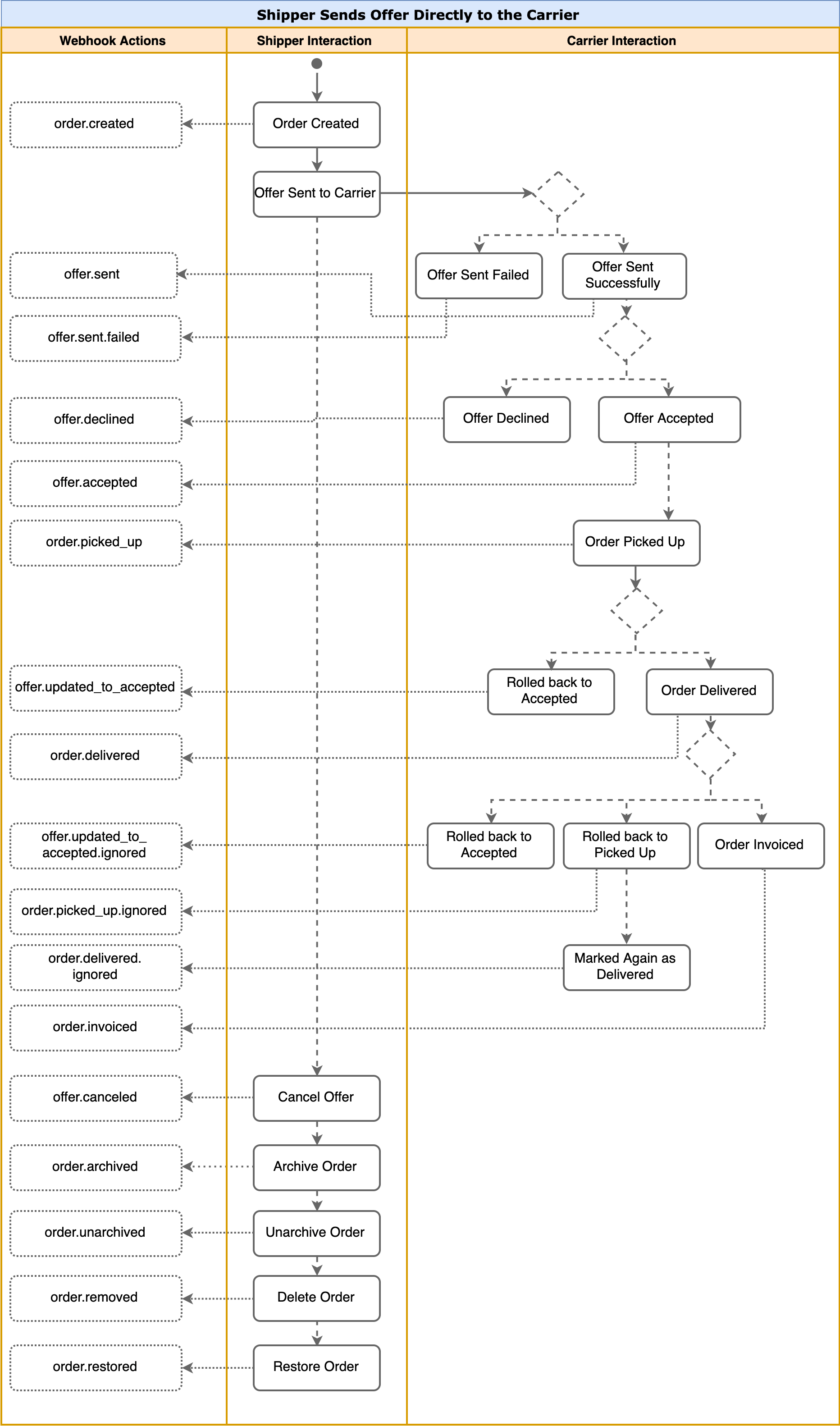
The diagram below shows the Shipper-Carrier interaction. Also you can see here when webhooks are sent.
Semi-Manual Send Offer Flow
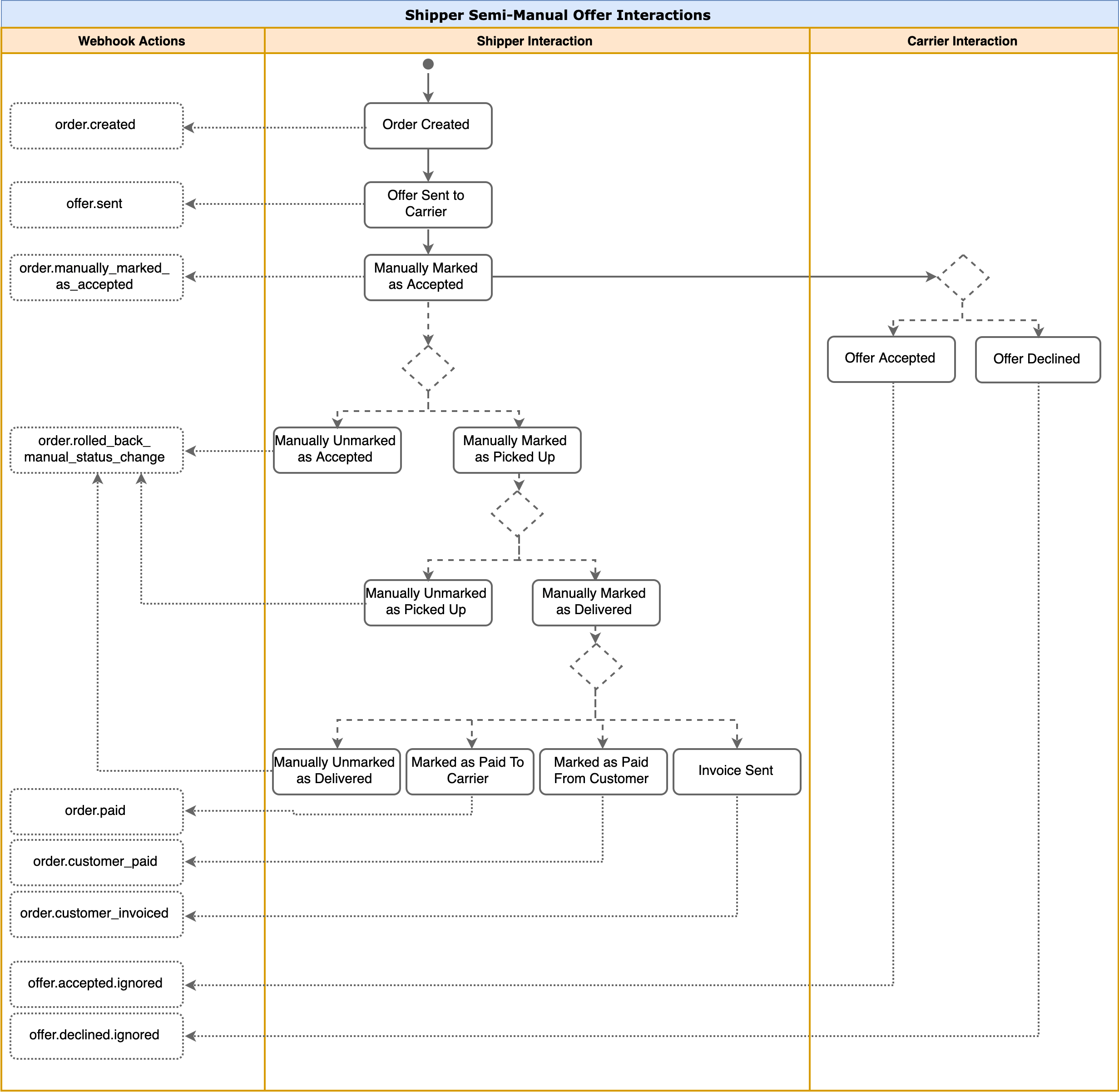
In some cases when Shippers send offer to the Carrier, they may need to continue interaction with the offer themselves. For example, a carrier may forget to update the offer's status or have no chance to do so.
Just like in the Direct Flow, the Shipper finds the Carrier by one of three ways and then sends a load offer.
Once the offer is created, then the Shipper can start manipulating offer independent of the Carrier. Further manual actions starting with Mark as Accepted are performed via internal API.
The offer interactions triggered both by the Shipper and the Carrier are shown on the diagram below.
Post Load to Load Board
Ready to ship loads can also be moved the following ways:
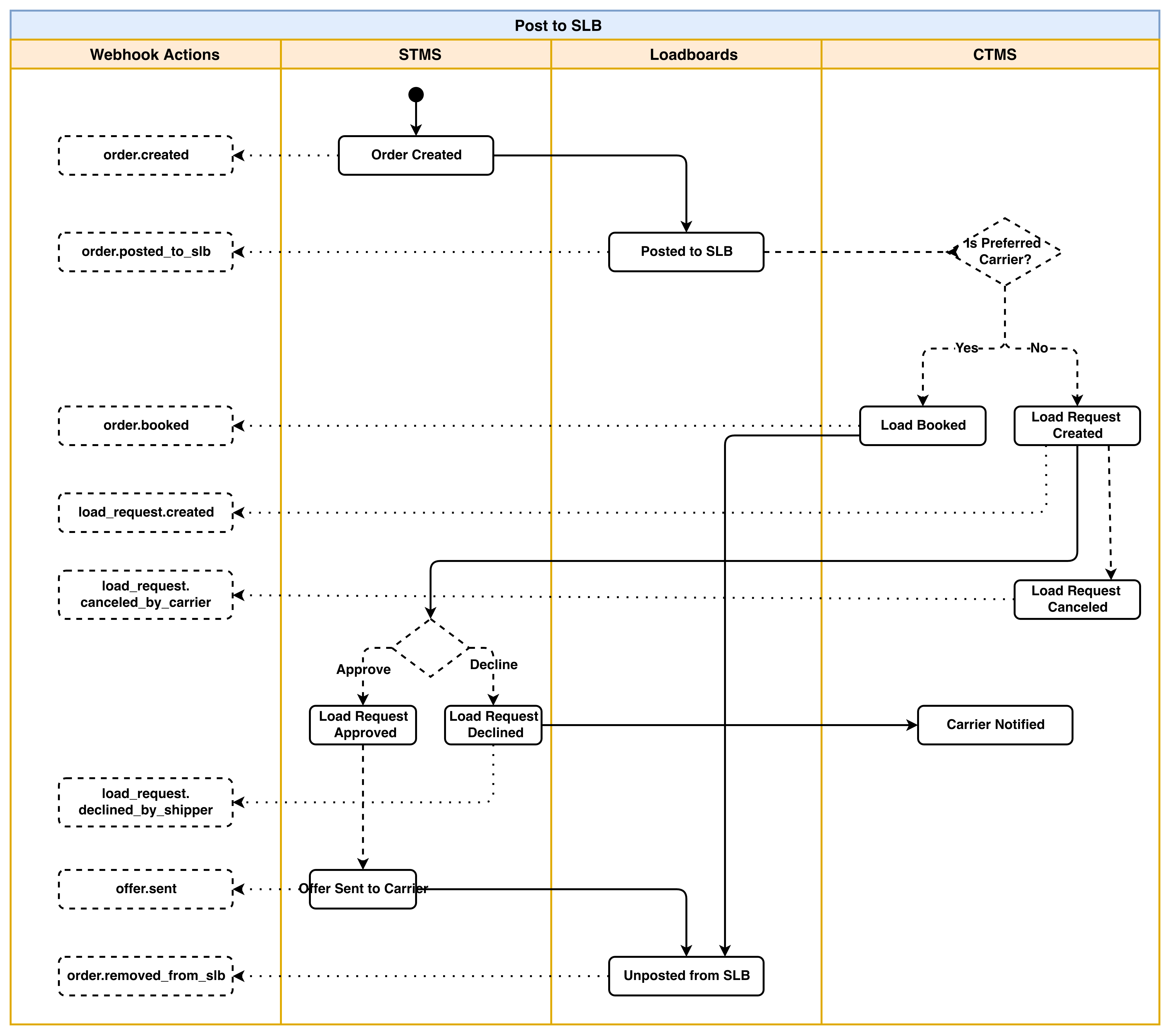
- Via Super Loadboard: the order is posted to Super Loadboard and Super Dispatch notifies carriers who can move this order. Preferred carriers can book this order immediately. Other carriers can send a load request. The process is fully automated.
Some of the actions over the load (load is posted/unposted to different boards, booked, approved, etc.) trigger particular webhooks:
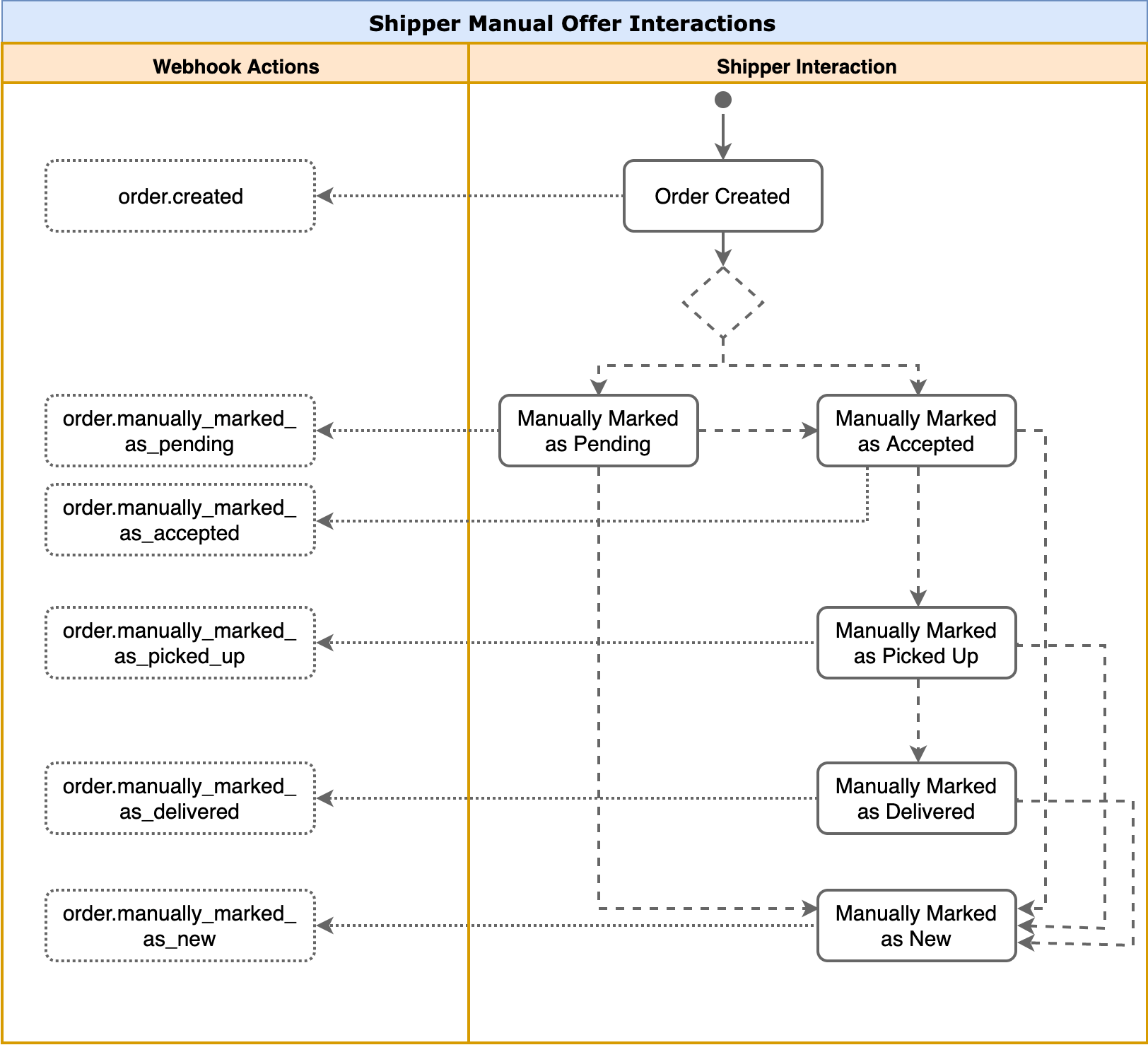
Manual flow
Here is also a pure manual flow that allows shippers to perform interactions with the offer without involving carriers at all.
The manual Send Offer Flow is not supported for public API and can only be done with internal API. Offer is manually attached to carriers that are retrieved from Super Dispatch Carrier Database only, not FMCSA Database.
Manual interactions also trigger particular webhooks, please see the diagram below: